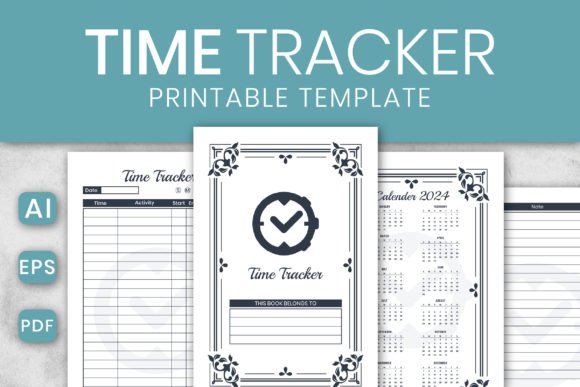
Organize Your Year: The 2024 Editable Time Tracker
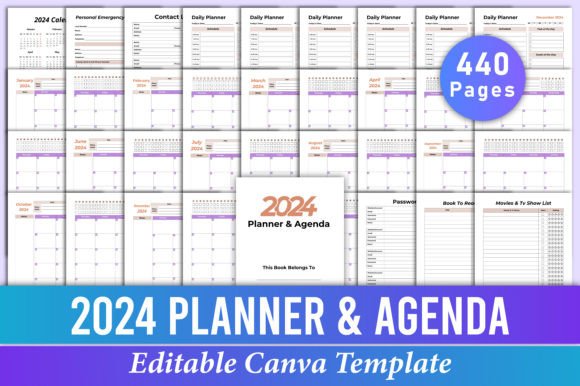
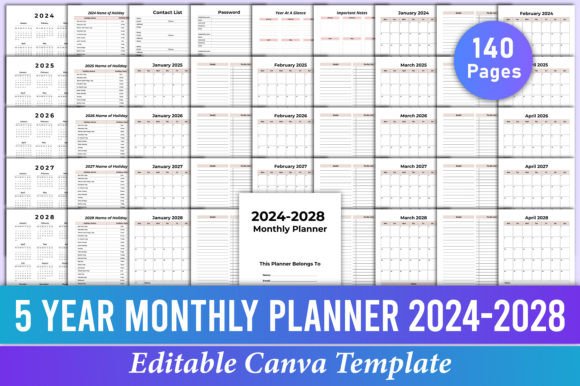
Every year, the same challenge emerges for entrepreneurs, content creators, and busy professionals: how to visually structure time without losing your mind. A wall calendar feels too rigid, and digital apps often lack the tactile satisfaction of pen and paper. If you are looking for a solution that bridges the gap between digital flexibility and physical planning, the Time Tracker - KDP Interior offers a sophisticated answer. This is not just a simple grid of dates; it is a comprehensive, editable Adobe Illustrator template designed to give you total control over how you view and organize the year 2024.
Why Editable Design Matters for Productivity
Most planning tools on the market are static. You buy a planner, and you are stuck with the publisher's color scheme, font choices, and layout. However, for designers and branding professionals, generic layouts often clash with specific aesthetic requirements. The 2024 Time Tracker addresses this by providing source files that are fully customizable. Because the files come in Adobe Illustrator (.Ai and .Eps) formats, you are not just buying a PDF to print; you are buying a design asset that you can mold to fit your specific needs.
This level of customization is crucial for maintaining visual consistency. Imagine a small business owner who needs a planning wall chart for their studio. They can take this template and change the colors to match their brand hex codes, swap the typography to their corporate font, and adjust the layout to highlight specific project milestones. This transforms a generic time tracker into a piece of brand identity collateral. It ensures that even your internal organization tools look professional and cohesive.
Practical Applications for Creatives and Professionals
The versatility of this Time Tracker - KDP Interior template extends far beyond simple scheduling. Its 8.5x11 inch trim size with no bleed makes it perfect for standard printing, but the digital capabilities open up a world of possibilities for various projects.
Here is how different professionals can utilize this asset:
- For Graphic Designers: Use the template as a base for client projects. If a client asks for a custom editorial layout or a specialized calendar, you can modify this high-quality file to create a unique deliverable without starting from scratch.
- For Content Creators and Bloggers: Planning an editorial layout requires seeing the big picture. You can customize the tracker to map out content themes, posting schedules, and campaign timelines. You can even export sections of the vector file to create social media graphics that announce your upcoming schedule to your audience.
- For Marketing Teams: Marketing assets often require strict timelines. This tracker can be adapted into a campaign roadmap, allowing teams to visualize launch dates, ad runs, and email sequences in a format that is easy to read and print.
- For Teachers and Hobbyists: Whether you are tracking a garden planting schedule or a semester curriculum, the ability to change text and layout means you can personalize the tool to fit your life.
Technical Specifications: Built for Quality
When working with print-ready files, technical details matter. A blurry image or incorrect color mode can ruin a final product. This time tracker is built with professional standards in mind, ensuring that what you see on your screen is what you get on paper.
The files are set up in CMYK color mode, which is the standard for professional printing. This ensures that the colors remain vibrant and accurate when sent to a print shop. Furthermore, the files are set at 300 DPI, guaranteeing sharp text and crisp lines even when printed at the full 8.5x11 size. You have the flexibility to choose between 100, 110, or 120 pages, allowing you to create a booklet that suits your specific planning horizon.
One of the standout features is the "Belongs to Page." This simple addition is essential for anyone creating a physical product or a gift. It adds a personal touch that elevates the perceived value of the item. Whether you are creating a planner for yourself or selling it as a digital product on platforms like Etsy or Amazon KDP, these professional touches make a significant difference.
Customizing Typography for Readability and Style
Typography is the voice of your design. When you open this template in Adobe Illustrator, you have the freedom to experiment with font pairing and type hierarchy. The default layout is designed for maximum readability, but changing the fonts allows you to alter the "mood" of the tracker entirely.
For a modern, corporate look, you might swap the headers to a clean sans-serif font while keeping the body text in a highly legible serif font. If you are designing for a creative brand, incorporating a subtle script font for the month headers can add a touch of elegance. The ability to manipulate the typeface means you can ensure that the tracker aligns with the emotional tone of your project, whether that is playful, serious, minimalist, or decorative.
Expanding Your Product Line with KDP Interiors
For those in the self-publishing and print-on-demand space, this template represents a smart business opportunity. Creating a high-quality KDP Interior from scratch is time-consuming. By starting with an editable, print-ready foundation, you can significantly speed up your production workflow.
You can customize this time tracker to create niche-specific planners. For example:
- Fitness Trackers: Adjust the layout to include sections for workouts and meal planning.
- Financial Planners: Modify the grid to track expenses and bill due dates.
- Project Management Planners: Add columns for task status and team assignments.
Because the file is scalable and editable, you can create multiple variations of the same product to test different markets. This approach allows you to offer a variety of print materials without the overhead of hiring a designer for every single page.
Final Thoughts on Streamlining Your Workflow
In a world saturated with digital noise, there is a growing appreciation for tangible planning tools. However, those tools should not be outdated or static. The 2024 Editable Time Tracker provides the perfect balance of structure and flexibility. It empowers you to take control of your schedule while ensuring that your planning tools reflect the high standards of your brand.
Whether you are a freelancer tracking client hours, a marketer planning a product launch, or a creative individual looking to organize your year, this template offers the functionality and aesthetic versatility you need. It is more than just a calendar; it is a canvas for your productivity. By leveraging the editable Adobe Illustrator files, you can create a planning system that is as unique and dynamic as your business.