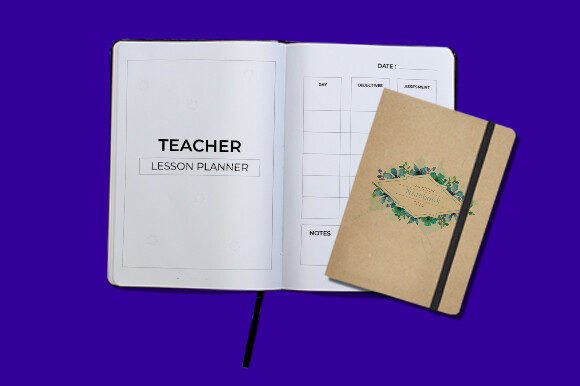
Teacher Lesson Planner: Your Customizable Classroom Command Center
For any educator, from the seasoned veteran to the enthusiastic first-year teacher, the rhythm of a school year is a complex dance of lesson objectives, student needs, administrative tasks, and personal organization. Juggling all of this requires more than just a basic calendar; it demands a system that is both robust and flexible. This is precisely where a high-quality Teacher Lesson Planner transforms from a simple notebook into the central nervous system of your classroom. It’s the single place where your pedagogical vision meets daily logistics, and having one that you can truly make your own changes everything.
Beyond the Generic: Why an Editable Teacher Planner is a Game-Changer
We’ve all been there—buying a beautifully designed planner from a store only to find the weekly layout doesn’t match our schedule, the subject sections are too rigid, or the motivational quotes feel out of touch. A truly effective planning tool shouldn't force you to adapt to its structure; it should adapt to yours. An editable teacher planner puts you in the designer's seat. This isn't about just filling in blanks; it's about modifying the very framework to reflect your unique teaching style, curriculum, and classroom environment.
Imagine being able to adjust the color-coding system to match your school's house colors or your own subject-specific palette. Picture changing the font to one that’s easier for you to scan quickly during a hectic morning. Envision resizing a section to give more space to your intricate project-based learning timelines. This level of customization means your planner becomes an intuitive extension of your thought process, reducing cognitive load and freeing up mental energy for what truly matters: teaching.
Practical Applications: From Weekly Grids to Annual Overviews
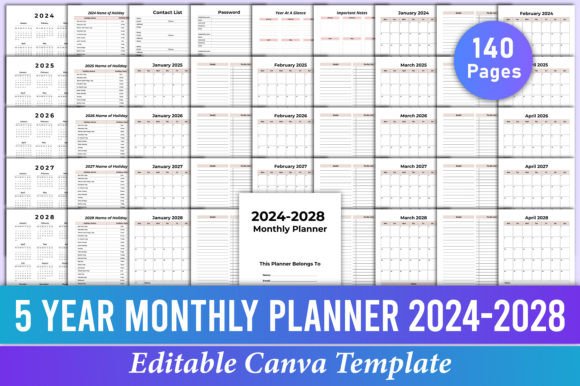
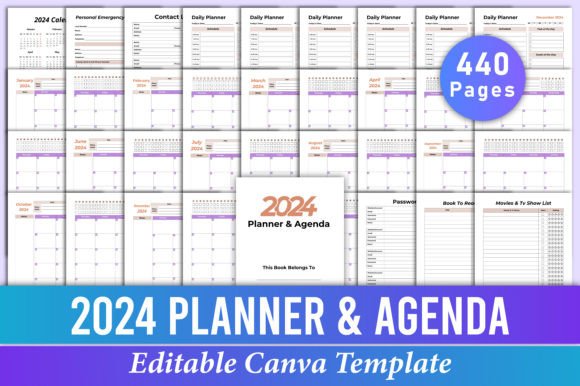
The utility of a comprehensive, 120-page planner extends far beyond jotting down homework assignments. It becomes a repository for your professional growth and a tool for seamless communication.
- Long-Term Curriculum Mapping: Use the monthly and term overview pages to sketch out your entire quarter or semester at a glance. This bird's-eye view helps ensure pacing guides are met and major projects are logically spaced, preventing end-of-term crunches.
- Differentiation and Small Group Planning: Dedicate specific pages or custom-created sections to track interventions, gifted student extensions, and small group rotations. The ability to add or modify tables means you can create a log that works for your specific student roster.
- Meeting Notes and Professional Development: Integrate sections for staff meeting notes, PLC (Professional Learning Community) goals, and personal PD reflections. Keeping these alongside your lesson plans provides valuable context and helps track the implementation of new strategies.
- Parent Communication Log: A simple, editable table to note dates and topics of parent emails or calls can be invaluable for maintaining clear records and following up on concerns or positive feedback.
- Resource Inventory: Use blank or customizable pages to catalog your favorite digital and physical resources, linking them to specific units or standards. This turns your planner into a searchable teaching toolkit.
The Visual Appeal: Design That Supports Function
A planner that is visually cluttered or aesthetically jarring can actually create resistance to use. The appeal of a well-designed Teacher Lesson Planner lies in its clean, intentional layout that promotes clarity and calm. The included high-quality, print-ready files (JPG, PNG, PDF) ensure that whether you print it at home or at a professional print shop, the lines are crisp, the colors are true (using RGB for vibrant screen-to-print accuracy), and the text is sharp. The standard 8.5x11 inch size with no bleed makes printing straightforward and binder-friendly.
This visual consistency is a form of branding for your classroom. Just as a business uses consistent typography and colors to build recognition, a teacher can use a cohesive visual system in their planning materials. This projects organization and preparedness, which can positively influence student perception and even parent confidence. It’s a subtle but powerful form of professional presentation.
Making It Your Own: Tips for Customization
To get the most out of your editable planner, think like a designer working on a client's brand identity.
- Define Your "Why": Before changing colors and fonts, ask what you need the planner to achieve. Is it primarily for daily task management? Long-term project tracking? A communication hub? Let this purpose guide your design choices.
- Choose Typography for Readability: While a fancy script font might look lovely, it’s terrible for quick scanning. Opt for a clean, legible sans serif font for most of your body text and headings. You can use a complementary serif font or a simple script font for section titles or decorative elements to add personality without sacrificing function.
- Develop a Color System: Use color meaningfully. Assign colors to subjects (e.g., blue for Math, green for Science), types of tasks (e.g., red for urgent, yellow for planning), or student groups. This creates an instant visual reference that speeds up your review process.
- Test Your Layout: Print a single test page before committing to printing the entire 120-page document. Write on it, see if the margins are sufficient, and check if the spacing between lines feels comfortable. This small step prevents wasted paper and frustration.
- Think in Modules: Use the customizable nature to create "modules" for different needs. You might design a standard weekly lesson plan page, a separate meeting notes template, and a project tracker. Having these consistent, self-created templates within the larger planner brings immense order.
More Than a Planner: A Foundation for Your Professional Ecosystem
Ultimately, investing time in customizing a premium planner is an investment in your own efficiency and well-being. It reduces the daily friction of disorganization, allowing you to walk into your classroom each day feeling prepared and in control. The process of designing it can even be a reflective practice, helping you clarify your goals and systems for the year ahead.
Think of this tool not as an isolated item, but as a foundational piece of your professional toolkit. The organizational clarity it provides can spill over into other areas, helping you create better marketing assets for your classroom blog, design more coherent presentations, or even manage side projects and personal goals with the same systematic approach. In the demanding world of education, a reliable, beautiful, and utterly personal planning system isn't a luxury—it's a cornerstone of sustainable, effective, and inspired teaching.