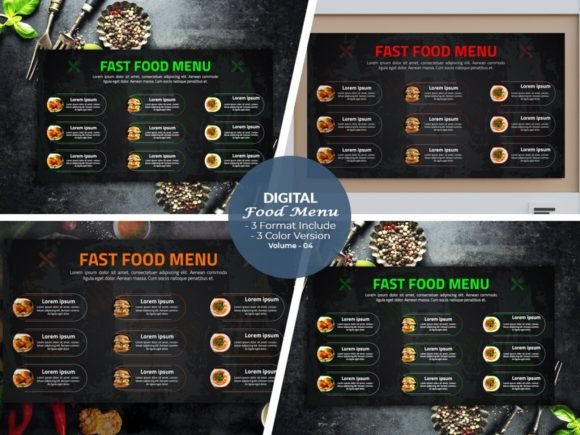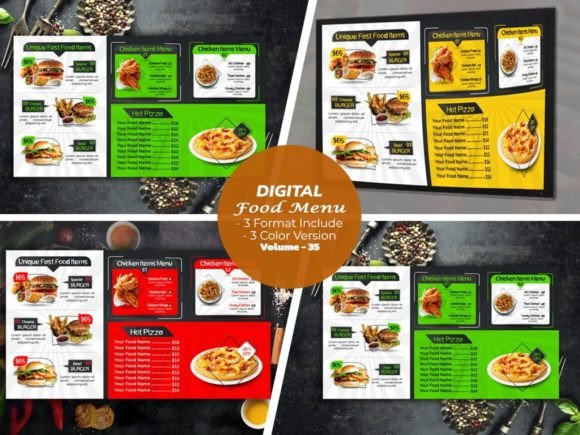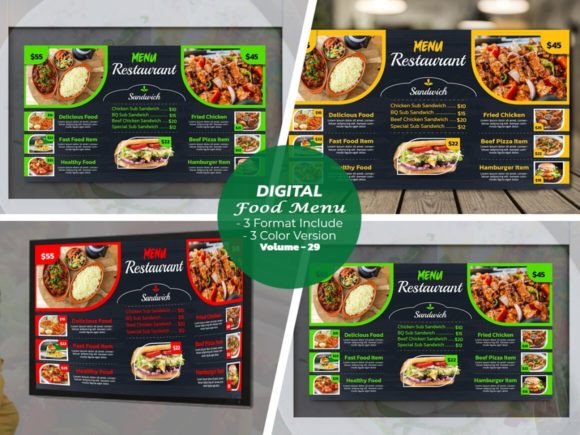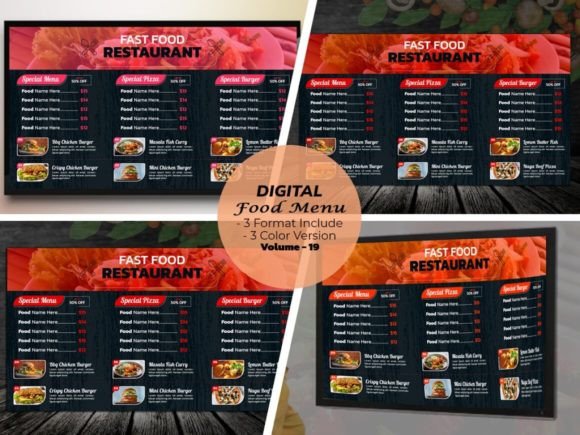
Transform Your Restaurant's Branding with Digital Food Menu Design Template V-23
Imagine walking into a restaurant and being immediately captivated by the menu. The colors pop, the layout is intuitive, and every dish description feels like a personal invitation to indulge. That's the power of a well-designed digital menu. For restaurant owners, designers, and entrepreneurs, creating that perfect first impression is no longer a luxury—it's a necessity. Our new product, the Digital Menu for Restaurant creator, is built to give your food menu an active, modern look that you can fully customize. It's more than just a template; it's a toolkit for crafting a dining experience that starts before the first bite.
A Visual Feast: The Anatomy of Template V-23
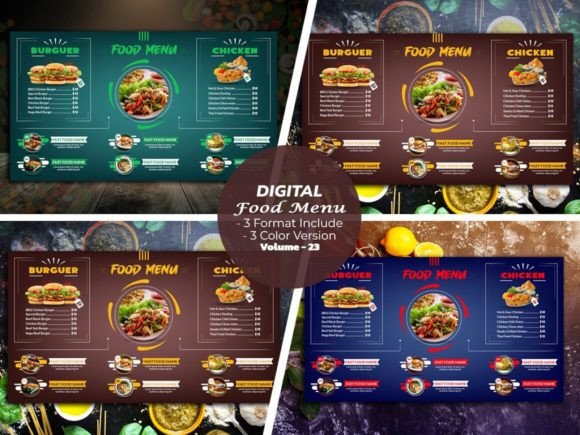
The Digital Food Menu Design Template V-23 is a comprehensive design system, not just a single static file. Volume 23 in our series, it's crafted for those who need professional-grade assets with maximum flexibility. You receive a complete package of fully editable Illustrator Ai. files, Eps. files, and PDFs. This means whether you're a seasoned Adobe Illustrator user or prefer working with PDFs for quick edits, you have the right file at your fingertips. The design is built on a (1920X1080) canvas at 300 DPI resolution, ensuring your menu looks crisp and vibrant on everything from a large in-store monitor to a customer's smartphone screen. The inclusion of three distinct color versions allows you to instantly align the menu with your brand's existing palette or experiment with new seasonal themes. Every element is organized, every layer is named, and the structure is logical, making the customization process feel less like a technical task and more like a creative session.
Beyond the Menu: Creative Applications for This Template
While its primary function is clear, the real value of a template like V-23 lies in its versatility. Think of the core design language—the typography, the layout grids, the graphic elements—as a foundational brand asset.
- Brand Identity & Consistency: Use the template's visual style as a springboard for your entire brand identity. The color schemes and typographic choices can be carried over to your logo design, packaging, and print materials like business cards and loyalty cards, creating a seamless visual story.
- Digital Marketing Arsenal: The 1920x1080 size is perfect for digital displays. Extract sections to create stunning social media graphics for Instagram stories or Facebook ads. The clean design translates beautifully to website hero images or blog post headers about your culinary offerings.
- Editorial & Event Design: Planning a cooking class, a wine tasting event, or a seasonal promotion? The template's structure can be adapted to design beautiful invitations, event posters, or editorial layouts for a digital cookbook or recipe blog.
- Merchandise & Digital Products: The aesthetic could inspire designs for aprons, tote bags, or even printable recipe cards as merchandise for your loyal customers.
This approach moves you from having a single menu to possessing a cohesive design asset library that strengthens your brand recognition across every customer touchpoint.
Practical Customization: Making the Template Your Own
The promise of "fully editable" is where this template truly shines for practical use. You're not locked into a specific font or color. The process is designed to be intuitive.
- Color Customization: With three included color versions, you have a starting point. But the real power is in the ability to customize the color you want. Use Illustrator's global color swatches to change the entire mood of the menu in minutes—swap a warm, rustic palette for a cool, modern one with just a few clicks.
- Layout Flexibility: The template is structured with modular sections. You can combine as you wish—move menu categories, resize image placeholders, or delete sections that don't apply to your concept. It encourages experimentation without breaking the design's integrity.
- Typography & Readability: All fonts used are Google Fonts, and the links are included in your download. This is a crucial detail for readability and professional presentation. You can easily download the exact typefaces or substitute them with your brand's preferred sans serif font or serif font. The layout is built with clear hierarchy in mind, ensuring that dish names, descriptions, and prices are easily scannable—a key factor in audience engagement.
- Image Integration: A "Photo Use Link Included" means you have access to the original stock photos used in the preview, simplifying the process of sourcing high-quality imagery that matches the design's style.
Technical Specifications for Seamless Workflow
A beautiful design is only useful if it works within your existing workflow. The Digital Food Menu Design Template V-23 is built for compatibility and ease of use.
- Software Compatibility: It is optimized for Adobe Illustrator CC but is supported back to Cs6, including versions like CC2015.5, CC2017, CC2018, CC2019, CC2020, CC2021+. This wide range ensures that many users can work with the native Ai files without issue.
- File Formats: The inclusion of EPS and PDF files provides flexibility. The EPS is great for other vector-based software, while the PDF is perfect for sharing proofs with clients or for print if you prefer that route.
- Design Integrity: Working at 300 DPI is non-negotiable for any design that might go to print, and the 1920x1080 dimension is a standard for digital signage and presentations.
This attention to technical detail means you spend less time troubleshooting file issues and more time on creative decisions that impact your business.
Choosing Your Style: Matching the Template to Your Brand Voice
Not every design fits every brand. The visual personality of Template V-23 leans towards a modern typography and clean aesthetic. This makes it exceptionally versatile for a range of dining concepts:
- Modern Bistros & Cafés: The clean lines and customizable color schemes are perfect for a contemporary, urban vibe.
- Upscale Casual Dining: The sophisticated layout and emphasis on imagery can convey quality and attention to detail.
- Themed Restaurants: With the ability to change colors and swap fonts to a script font or handwritten font, you can quickly adapt the template to a more whimsical or rustic theme.
Before diving in, consider your brand's core personality. Is it minimalist and elegant? Playful and vibrant? The template is a chameleon—it's your job to give it the specific voice of your restaurant. This is where understanding font pairing and color psychology becomes a practical business skill, transforming a generic design into a powerful brand identity tool.
For the restaurant owner, this template is about saving time and money while achieving a professional result. For the designer, it's a robust starting point that accelerates the creative process. It's a practical, high-quality asset that understands the real-world demands of launching and maintaining a compelling visual presence in the competitive food industry. The goal is simple: to make your menu look as good as your food tastes.